Dialling ratio
Set it fixed or let it regulate itself. For automatic control there are the levels average, aggressive and strict.

Each campaign can be switched between predictive dialling, power dialling with a fixed overdial factor, and purely manual dialling. Switching costs nothing and applies at once – useful when you have plenty of records in the morning and few by the afternoon.
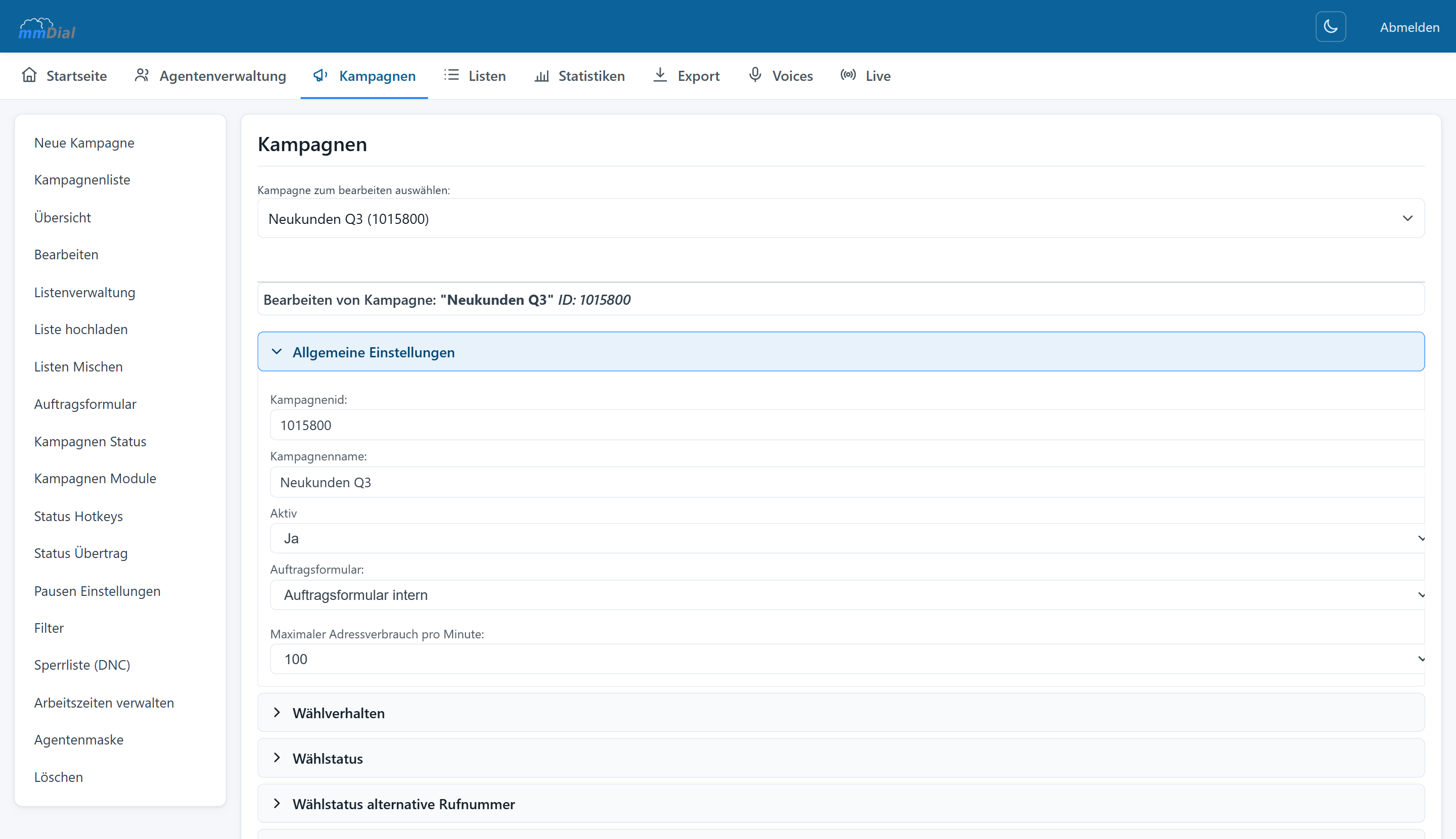
The settings are grouped into collapsible sections. On the left, the submenu leads to outcome hotkeys, outcome forwarding, breaks, filters, the blocklist, working hours and the agent screen.
Control
Set it fixed or let it regulate itself. For automatic control there are the levels average, aggressive and strict.
You define the limit up to which dropped calls are acceptable. The dialler throttles itself before it exceeds that limit.
A cap on the number of records dialled per minute protects a scarce supply of leads from being burned through too quickly.
For each campaign you record when automatic dialling is allowed – for instance 9 a.m.–5 p.m., noon–5 p.m. or a window of your own.
You set the number shown to the person called (CLIP) per campaign. In mmDial Comfort it can even match the area code of the person being called.
Answering machines and recorded announcements are detected and filtered out instead of tying up an agent.
mmDial comes with the usual outcomes – reached, not reached, answering machine, callback, sale, not interested. Beyond those you create your own per campaign and decide what they trigger.
Numbers that must no longer be called go onto the blocklist – either per campaign or, in mmDial Comfort, into a global list that applies to every campaign and can be imported and exported.
Agents can block a lead directly from the call. On import, blocked numbers are skipped automatically.
For leads that have not been reached several times you set rules: after what age they move to a new list, when they are dialled again and when to stop. The rules run on a schedule in the background.
Organisation
Larger call centres run dozens of campaigns in parallel. mmDial keeps them apart without you losing the overview.
Active and inactive campaigns can be filtered separately, each with its own lists, agents and reports.
An existing campaign serves as a template – including outcomes, settings and the assigned form.
Agent groups bundle campaign permissions. Team leaders only see what they are meant to see.
Keep reading
CSV import while you work, drag & drop field mapping, duplicate checks, list mixing and the filter builder.
Browser-based workspace, form designer, callbacks, break reasons and permissions.
Adjust the dial level live, watch ASR and abandon rate in real time, analyse down to five-minute intervals.
Incoming calls in the same interface, voice menus, queues, voicemail and priority routing.
Record per campaign or on the agent’s command, free file-naming schemes, search inside conversations.
One cookie – for your choice of language
This site sets no analytics or advertising cookies. If you agree, we remember only the language you picked. If you decline, it follows your browser setting again on every visit. More in our privacy notice